Joplin Smart Search
Semantic search for your Joplin notes. Works on Linux and Windows.
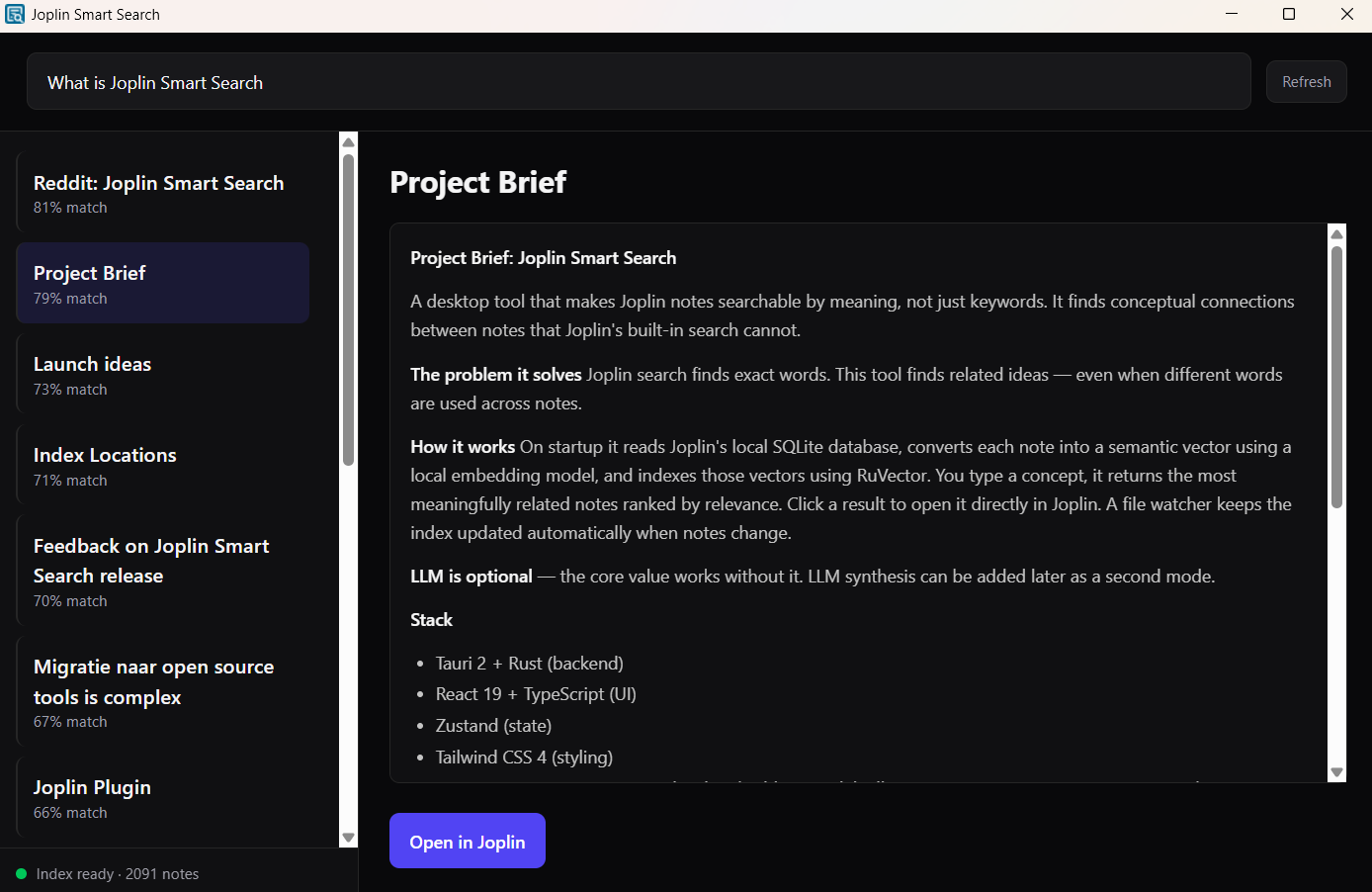
If you use Joplin and have hundreds of notes, keyword search often isn't enough. You remember the idea but not the exact words.
This is a desktop app that lets you search by concept. Type what you mean and it finds the notes that actually match.
How it works:
- Connect — the app reads your local Joplin SQLite database.
- Index — your notes are embedded using a small AI model (~130 MB, downloaded once on first run).
- Search — type a question or idea. Results rank by meaning, not keyword matches.
- Auto-updates — new and edited notes are picked up automatically within about 15 seconds.
Everything runs on your machine. No cloud, no telemetry, no GPU needed. Works fully offline after the one-time model download. The app is read-only — it never modifies your Joplin database or notes. Source code is public on GitHub if you want to verify that yourself.
Requirements: Joplin Desktop installed and synced.
How to get it
About the Author
Peter van Barneveld
Innovation Manager exploring practical paths to digital autonomy. He tests what actually works in daily use. His approach: figure it out, document the journey, share honest results.